From Bullet Journal to Second Brain: Obsidian and a Published Vault at jeffs.link

Bullet journaling and Obsidian are often presented as rivals. They are not. Paper is for thinking slowly. A plain-text vault is for finding things later. This article covers the second half: what Obsidian is, why daily notes are the habit that makes it work, and where to see a working vault.
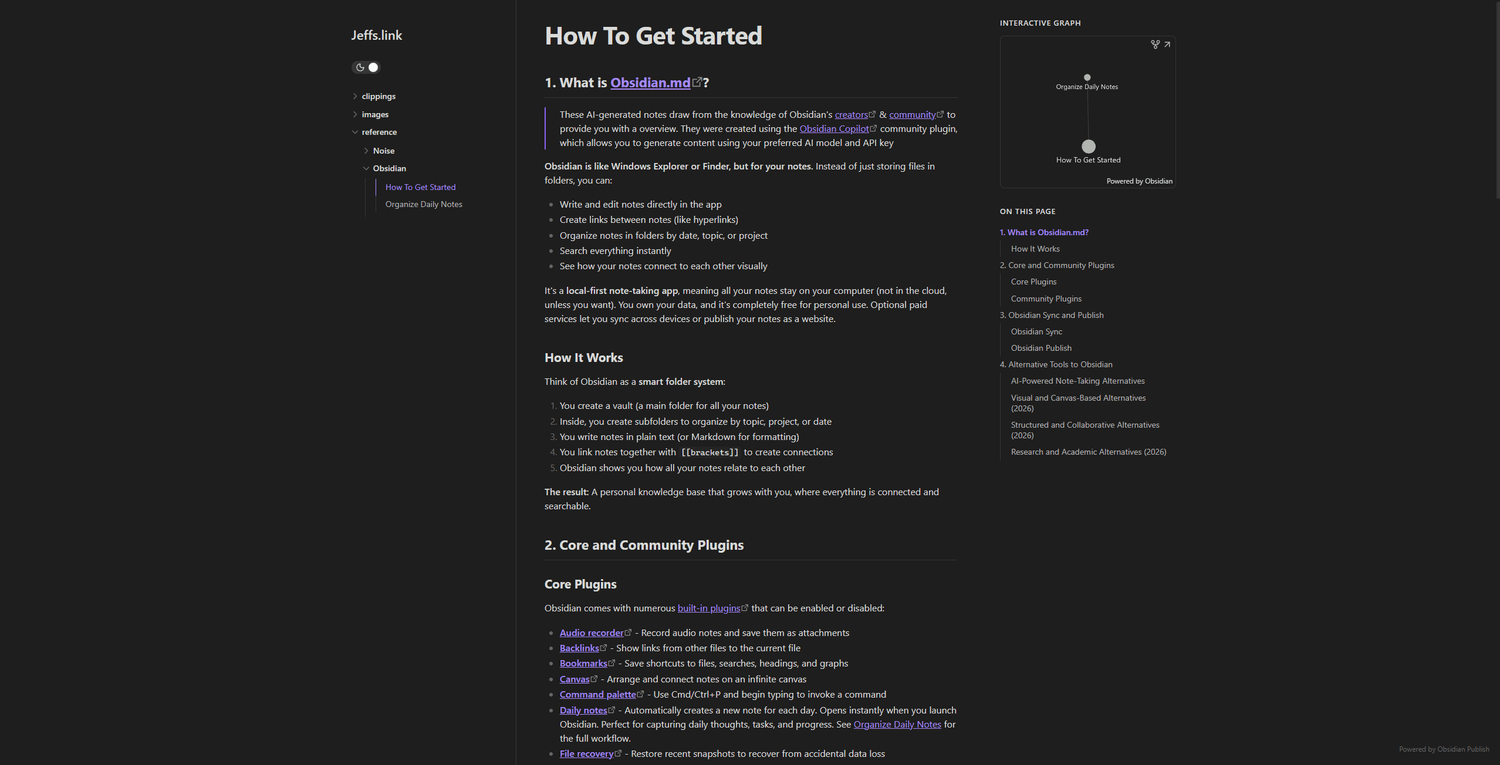
See it live: a published Obsidian vault is at jeffs.link (the project page describes how it is set up). Explore the notes and the structure, then build your own.
What Obsidian actually is
Obsidian is a free note-taking app built on plain text. Notes are Markdown files stored in a folder on your computer: no proprietary format, no subscription required for the basics. If you stop using Obsidian tomorrow, the notes are still files that open anywhere.
A collection of notes is called a vault. Think of it as a folder with superpowers: notes link to each other, the connections can be viewed as a graph, and search covers everything instantly.
Paper and digital solve different problems
Bullet journaling teaches three habits: capture a thought before it escapes, review the day honestly, and think slowly with a pen. Those habits are worth keeping on paper.
Obsidian carries the same habits into software and adds what paper cannot do: instant search, links between ideas, sync across devices, and a knowledge base that compounds year over year. Anything you will want to retrieve later belongs in the vault: a reference, a task, a link. It will be there when you look for it.
Notes can also be published straight from Obsidian. The vault at jeffs.link is published that way.
Daily notes: the habit that makes the rest work
The feature that makes Obsidian stick is daily notes: one note per day, created automatically when the app opens. Each day gets a page. Log what happened, capture tasks, drop in links. At the end of the week there is something to look back on. At the end of the month, there is a record.
Setup instructions and a template you can copy are at jeffs.link → Organize Daily Notes. Starting from scratch, that is the page to begin with.

Start anywhere
Pick one:
- New to Obsidian? → How To Get Started at jeffs.link
- Want the daily habit? → Organize Daily Notes at jeffs.link
- Just want to explore? → Open jeffs.link and click around
The best note-taking system is the one that gets used, and that usually means starting simpler than you think.
jeffs.link is a published Obsidian vault kept by JKJR Digital Development. This article was drafted with AI assistance, then edited and verified by a human.